

Most keto beginners get handed the same macro ratio, something like 70 percent fat, 25 percent protein, 5 percent carbs, and are left to figure out on their own how much of that ratio requires a food scale and how much an app will handle automatically. That gap is the real divide. Between an app that plans meals and an app that just tracks what got eaten sits the single biggest factor in whether keto survives the first two weeks.
So which side of that divide does a given app fall on? This guide evaluates six of the most commonly recommended keto apps against exactly that question. Each one is judged on how much calculation and daily decision-making it takes off a beginner’s plate, not on whether it has a keto mode buried three menus deep. Net carb handling, free tier honesty, and real subscription pricing, fine print included, all factor in. The app that looks cheapest on the App Store listing is not always the one that ends up cheapest once a subscription renews itself.
The list runs from the most hands-off option (an app that builds an entire week of meals with no manual entry) through to the most hands-on, built for people who want to see every micronutrient down to the milligram. The quick-pick table below is built to make that decision in under a minute.
Quick pick: which keto app fits which beginner
| App | Best For | Starting Price | Verdict |
| 1. Eat This Much | Hands-off beginners who want a full plan built for them | Free (single day) / ~$59.99/yr Premium | Generates the whole week automatically, nothing to calculate. |
| 2. Carb Manager | Beginners who want keto-specific tracking done right | Free (Basic) / ~$59.99/yr Premium | Net carbs and keto guidance built in from day one. |
| 3. Keto Cycle | Total beginners who want a guided program, not just an app | From ~$2.54–$3.81/week | Real hand-holding, but read the cancellation terms first. |
| 4. MyFitnessPal | People who already track food and don’t want a new app | Free / $19.99/mo Premium | Familiar, but net carbs cost extra. |
| 5. Lifesum | Beginners who find bare-bones trackers intimidating | Free / ~$44.99–$49.99/yr Premium | The friendliest interface, if manual logging doesn’t bother you. |
| 6. Cronometer | Beginners who want to check keto isn’t costing them nutrients | Free / ~$39.99–$49.99/yr Gold | Unmatched nutrient detail, zero meal planning. |
1. Eat This Much: the automatic meal planner
Generates a full week of keto meals from calorie and macro targets in seconds, no manual food entry required.

Verdict: For a beginner who does not want to build a single meal plan by hand, this is the app that removes that task entirely.
Best for: Keto beginners who find the idea of planning seven days of meals more overwhelming than the diet itself.
Eat This Much launched in 2014 as an automated meal planning tool and has stayed focused on that one job since. A user sets a calorie target, macro split, or picks keto directly from its supported diet list alongside paleo, vegan, vegetarian and Mediterranean, along with meal count, budget and food dislikes, and the algorithm assembles a plan from its recipe and food database.
It was named Best Meal Planning App of 2025 by CNN Underscored and carries a 4.7 rating on the Apple App Store. The free tier covers a single day’s plan; Premium unlocks full weekly plans, automatic grocery lists and pantry tracking.
What stands out: Individual meals can be regenerated on their own without rebuilding the whole week, and the grocery list emails automatically and connects directly to Instacart and AmazonFresh checkout, a step most planning apps leave for the user to do manually.
The honest downside: Because each meal in a generated week pulls from different recipes, the resulting grocery list can run larger and pricier than expected. Multiple user reviews describe actual grocery bills landing close to double the app’s own estimate, so a beginner on a tight food budget should treat the projected cost as a floor, not a ceiling.
2. Carb Manager: the keto-specific tracker
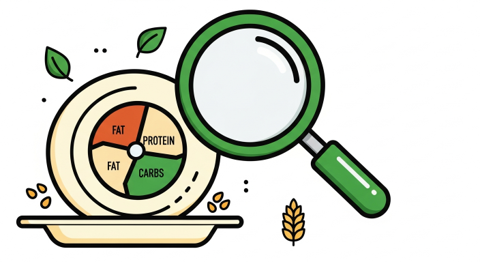
Purpose-built for keto and low-carb tracking, with net carbs (total carbs minus fiber and applicable sugar alcohols) calculated automatically and displayed by default.
Verdict: The strongest choice for a beginner who wants an app that already understands keto math, rather than one that has to be configured to understand it.
Best for: Beginners who plan to log their own food day to day and want the net carb calculation done correctly without manual setup.
Carb Manager has been a default recommendation in keto communities for close to a decade and has over 5 million downloads with a 4.8 average rating. Its free Basic tier includes net carb tracking, a large keto and low-carb recipe database, and a Keto Grade feature that scores individual foods on how keto-friendly they are, useful for a beginner who is not yet sure what counts.
Premium, around $59.99 per year, adds curated meal plans, biomarker tracking for ketones, glucose and insulin, and deeper recipe filtering.
What stands out: The Keto Grade tool doubles as a teaching feature. Rather than just logging a food, a beginner sees immediately why something knocks them out of ketosis, which shortens the learning curve that usually takes weeks of trial and error.
The honest downside: The interface is dense. There is a lot to learn in the first week alone, and most of what actually distinguishes Carb Manager from a general tracker, the meal plans, the deeper insights, the biomarker tracking, sits behind the Premium paywall rather than the free tier.
3. Keto Cycle: the guided beginner program
A structured onboarding questionnaire builds a personalized keto meal plan and pairs it with dietitian access, positioned as a program rather than a tracking app.

Verdict: The right fit for a beginner who wants to be told what to do rather than asked to configure settings.
Best for: Complete keto beginners who are more likely to follow a program with built-in structure than to build their own plan inside a general tracking app.
Keto Cycle collects health goals, food preferences and body metrics through an initial survey, then generates a plan of breakfasts, lunches, dinners, snacks and desserts around it, along with a printable grocery list and a beginner’s guide covering keto basics.
It also includes access to nutritionists for questions. None of the tracking-first apps on this list offer that.
What stands out: The beginner’s guide is more thorough than the marketing copy suggests, covering macro balancing, the keto flu, and practical food and drink rationing in a way that assumes zero prior knowledge. That is exactly the audience this list is written for.
The honest downside: There is no free tier. Pricing runs in multi-month blocks, $2.54 to $3.81 per week depending on term length, rather than a simple monthly option. Worse: hundreds of one- and two-star reviews on Trustpilot describe unexpected renewal charges and refunds that never materialize. Read the cancellation terms before entering payment details, not after.
4. MyFitnessPal: the app beginners already have installed
The largest food database of any app on this list, over 14 million entries, with keto-specific net carb tracking available only on paid tiers.

Verdict: A reasonable keto starting point for someone who already has MyFitnessPal habits from a previous diet, less so for someone starting completely fresh.
Best for: Beginners who have used MyFitnessPal before for general calorie counting and would rather adapt a familiar app than learn a new one.
MyFitnessPal remains the most recognized food logging app on the market, with restaurant menu coverage and database size that smaller, keto-specific apps cannot match. A keto approach can be run on the free tier by manually setting a 70/25/5 macro split and calculating net carbs by hand, since the free version does not do this automatically.
Premium, $19.99 per month or $79.99 per year, adds per-gram macro targets and native net carb tracking. Premium+, $99.99 per year, layers in a meal planner supporting ten diet types, including keto.
What stands out: FSA and HSA payment acceptance for the subscription is a detail no other app on this list offers, which matters for anyone routing wellness spending through one of those accounts.
The honest downside: Net carb tracking, the single most important keto-specific feature, was moved behind the paywall in a 2022 update and never returned to the free tier. A beginner starting fresh with no prior MyFitnessPal history is generally better served by an app that includes this from day one.
5. Lifesum: the friendliest-looking keto plan
A structured Keto Burn meal plan with recipe-led logging inside one of the best-reviewed interfaces of any diet app on the market.

Verdict: Good for a beginner who has tried a bare-bones tracker before and quit because the interface felt clinical rather than encouraging.
Best for: Beginners who respond better to an approachable, visually calm app than to a dense spreadsheet-style tracker.
Lifesum offers more than 15 structured diet plans, including a keto option, each of which adjusts daily macro targets and surfaces matching recipes rather than leaving a user to interpret a percentage split alone. It syncs with Apple Health, Google Fit, Garmin and Fitbit.
The free tier covers basic logging and barcode scanning, with the diet plans, macro breakdowns and most recipes sitting behind Premium, roughly $44.99 to $49.99 per year, with shorter terms costing more per month.
What stands out: The combined food, hydration and sleep dashboard is unusual among keto-focused apps, most of which track food in isolation, and gives a beginner a single place to see how sleep and water intake line up with how keto is going.
The honest downside: Logging is entirely manual search and selection. No AI photo logging, no voice logging. Independent testing has also found calorie accuracy drifting by roughly plus or minus 6.5 percent. Slow logging is the single most common reason people abandon diet apps by week three, so a beginner prone to quitting should weigh the friendlier interface against the extra manual effort it still demands.
6. Cronometer: the nutrient-accuracy specialist
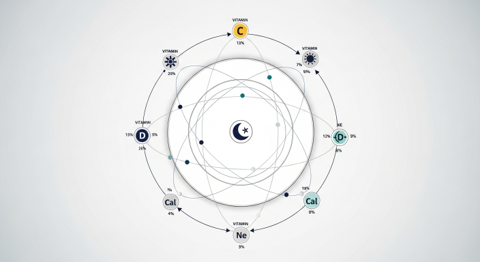
Tracks 82 plus vitamins, minerals, amino acids and fatty acids from a verified USDA and NCCDB-sourced database, more nutritional depth than any other app on this list.
Verdict: Best suited to a beginner who wants to confirm keto is not quietly creating a nutrient gap, less suited to one who wants meals planned for them.
Best for: Beginners who are comfortable with manual logging and specifically want visibility into micronutrients like magnesium, potassium and sodium, all of which can run low on keto if not actively managed.
Cronometer differentiates itself through database accuracy rather than convenience. Every Common Foods entry is manually verified against USDA and NCCDB sources rather than crowd-submitted, which matters given that user-generated entries on general trackers are frequently wrong by 30 percent or more.
Its free tier is unusually complete, offering the full micronutrient panel and unlimited logging with only banner ads as the tradeoff. Gold, roughly $39.99 to $49.99 per year depending on platform and promotion, removes ads and adds biometric and lab result tracking.
What stands out: Cronometer supports importing lab biomarker results, including a lipid panel, glucose, vitamin D and B12, and plots them against logged nutrition over time, a feature aimed at people managing a medical condition alongside keto that no other app on this list attempts.
The honest downside: There is no meal planning functionality at all. Every entry is a manual search and log, which is a real ask for a beginner already adjusting to a new way of eating, and the interface is built for data, not for guidance on what to eat next.
Methodology
This list started from eleven keto-relevant apps surfaced through App Store and Google Play ratings, ongoing discussion in keto-focused communities and forums, and existing editorial coverage. That got narrowed to the six most consistently recommended. Because this guide is written for beginners, automation and reduced manual calculation were weighted above raw feature count. An app that builds a full week of meals scored higher on that axis than one with a longer feature list but no planning function at all. Net carb handling, free-tier honesty, and real subscription pricing, including cancellation terms where public complaints raised a pattern, mattered too. Evaluation drew on hands-on app testing where available, current public pricing pages, App Store and Google Play listings, and cross-referenced third-party reviews. Vendor marketing copy alone was not treated as a source.
Frequently asked questions
What’s the real difference between a keto meal planning app and a keto tracking app?
A planning app, like Eat This Much, builds meals for a user to follow. A tracking app, like Cronometer or MyFitnessPal, logs meals a user has already chosen and reports the macro and calorie totals afterward. Carb Manager and Lifesum sit in between: they track daily food but also suggest keto-specific recipes and meal structures.
Should a keto beginner track net carbs or total carbs?
Net carbs, total carbohydrates minus fiber and, in some formulas, a portion of sugar alcohols, is the standard measure for staying in ketosis, since fiber is not digested the same way as other carbohydrates. Carb Manager and Eat This Much calculate this automatically; on MyFitnessPal’s free tier it has to be worked out by hand, since net carb tracking sits behind Premium.
Is there a genuinely free way to plan keto meals?
Yes, for a day at a time. Eat This Much’s free tier builds and customizes a single day’s plan at no cost, and Carb Manager’s free Basic tier throws in net carb tracking and a full keto recipe database. Want a full automated week, though? Both apps want a subscription for that.
Do keto apps account for electrolytes?
Carb Manager displays sodium, potassium and magnesium by default with keto-appropriate target ranges, which matters because electrolyte imbalance, often called the keto flu, is one of the most common reasons beginners feel unwell in the first two weeks. Cronometer tracks the same electrolytes as part of its wider micronutrient panel, though neither app adjusts food recommendations to correct a deficiency automatically; that still requires a beginner to notice the numbers and act on them.
Which app on this list is cheapest for a beginner just trying keto out?
Eat This Much or Carb Manager. Both have usable free tiers, single-day plans on the former, basic tracking on the latter, so nothing needs to be paid for before deciding keto is worth sticking with. Keto Cycle is the only app here with no free option at all.
